Pocket Chronicle
The Pocket Chronicle app icon: five fanned cards on a terracotta ground.

Press kit

Pocket Chronicle

A private, prompted archive of a child's childhood, for iPhone. Two prompts a day — a question, and a small mission to photograph, film, record or do. Each answer is filed with the prompt that caused it and the child's exact age, on a timeline they inherit.
Everything on this page may be reproduced in coverage of Pocket Chronicle. Questions, interviews or a screen you need captured a particular way: hello@pocketchronicle.app.

The facts

Everything in one place

NamePocket Chronicle. The App Store lists it as PocketChronicle.App; on the home screen it reads Chronicle.
What it isA prompted childhood archive. One question and one mission a day, answered in about fifteen seconds.
PlatformiPhone. Requires iOS 18.6 or later.
Released7 September 2026
PriceFree to download. The first two weeks are fully open, with no card and nothing to cancel. After that the daily question stays free forever, and anything that needs storage — photographs, video, their voice — is part of membership: $5.99 a month or $59.99 a year, one membership per household.
CategoryLifestyle. Rated 4+.
Made byTravis Terry, working alone. No company, no investors.
App StorePocket Chronicle on the App Store
Websitepocketchronicle.app — all 133 prompts are published, readable before signing up for anything.
Press contacthello@pocketchronicle.app
Instagram@pocketchronicle.app

A plain-text fact sheet is in the kit, along with descriptions at four lengths.

Why it exists

A dad who forgets to take pictures

Travis Terry built Pocket Chronicle for himself. He forgets to take pictures, and on the days he remembers, a year later he cannot say what was happening or why he took the shot. The camera roll remembers what his kid looked like. It remembers nothing about what they were like.

So the app gives him a reason to write one thing down, and a reason to take the picture — and then keeps the reason attached to it. Every entry carries the prompt that caused it, the day it happened, and the child's age on that day, on a timeline the kid eventually inherits.

The rules it is built under come from the same place. Nothing counts down, nothing keeps a streak, and a missed day is never described as a failure. There is no feed, because a childhood is not a performance. There are no ads on any tier, and no advertising or analytics code in the app at all.

What's different

Six things worth knowing

Two prompts a day, not a blank page

One is always a question — “What word does your kid mispronounce that you don't want to correct?” The other is a mission: a photo, a video, their voice, or something to do together. Weekends add a second mission.

The reason is saved with the moment

A photo with the question that made you take it is a story. Every entry keeps its prompt, the date it happened, and the child's exact age on that day.

Their voice, transcribed on the phone

Recordings run up to ten minutes. On an iPhone running iOS 26 the phone writes the transcript itself, so what a child said out loud becomes searchable text. The audio never goes to a transcription service.

You can fill in the past

Any entry backdates to any day, years ago, and it lands at the age the child was then. Look back walks the camera roll month by month to find the months never written about — reading only dates and counts, on the phone.

No streaks, no feed, no ads

One notification a day at most, at a time you pick. Nothing public, nothing to perform for. No advertising on any tier, including the free one, and no third-party code in the app.

An export that outlives the company

One tap, free on every tier: a zip of every entry, photograph and recording in folders by date, plus a viewer that opens offline by double-clicking. Plain JPEG, MP4, M4A, text and HTML.

Demo

Thirty seconds of the real app

1080 × 1920, H.264, silent, 29.8 seconds. Every moving frame is a screen recording of the app; nothing is animated or mocked up.

  1. The morning board: a photo mission, a video mission, the question.
  2. A voice prompt is tapped and the recorder opens on its own.
  3. The recording runs, is kept, and saves against the prompt.
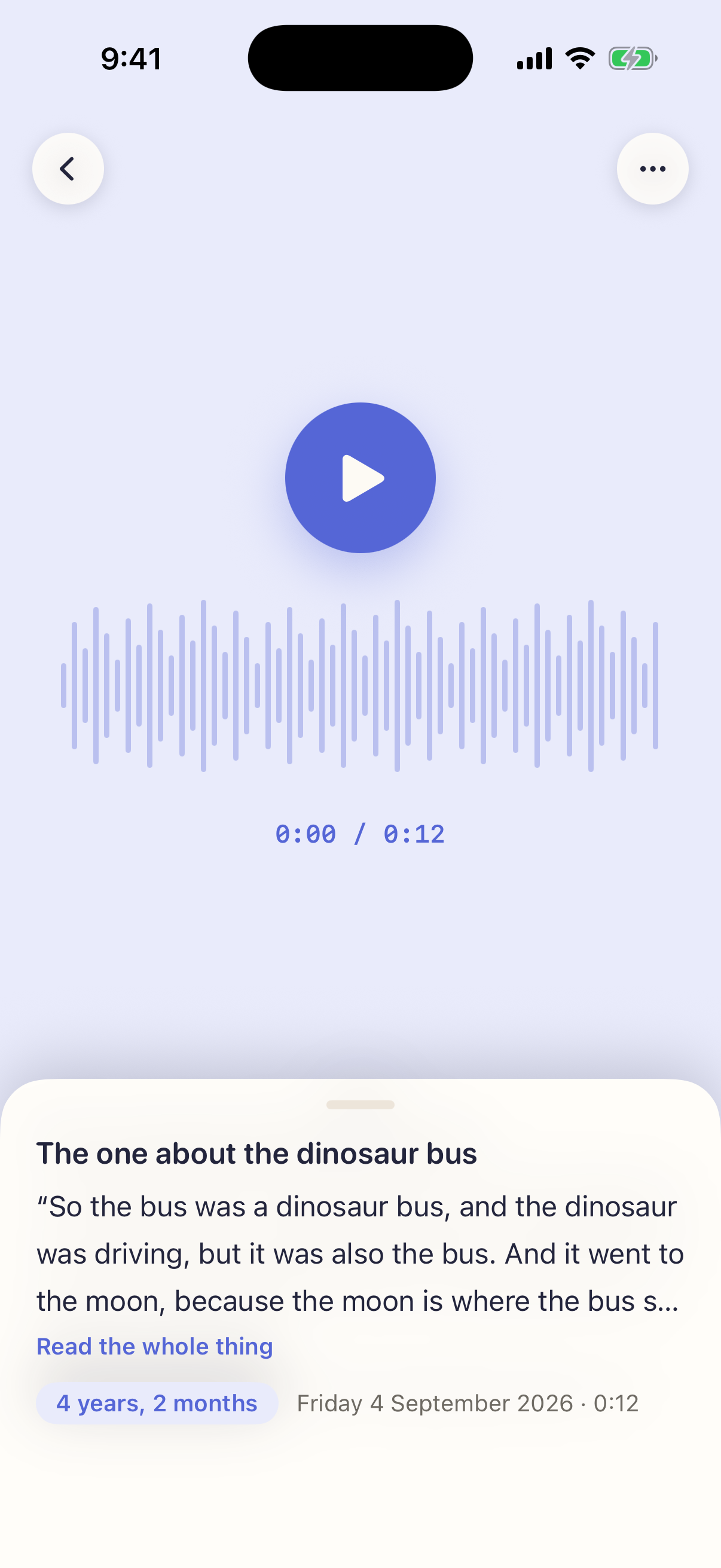
  4. The entry, open, with its transcript and “4 years, 2 months”.
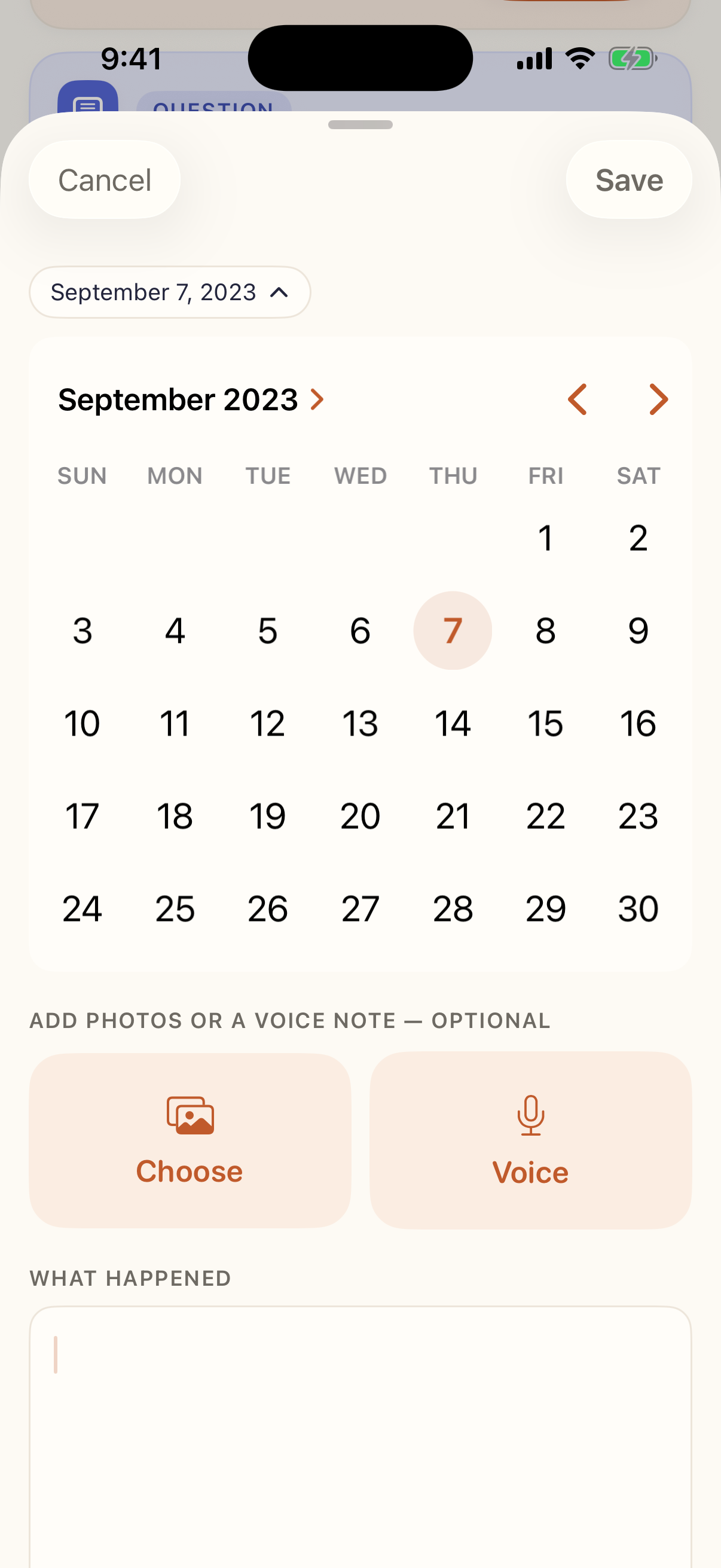
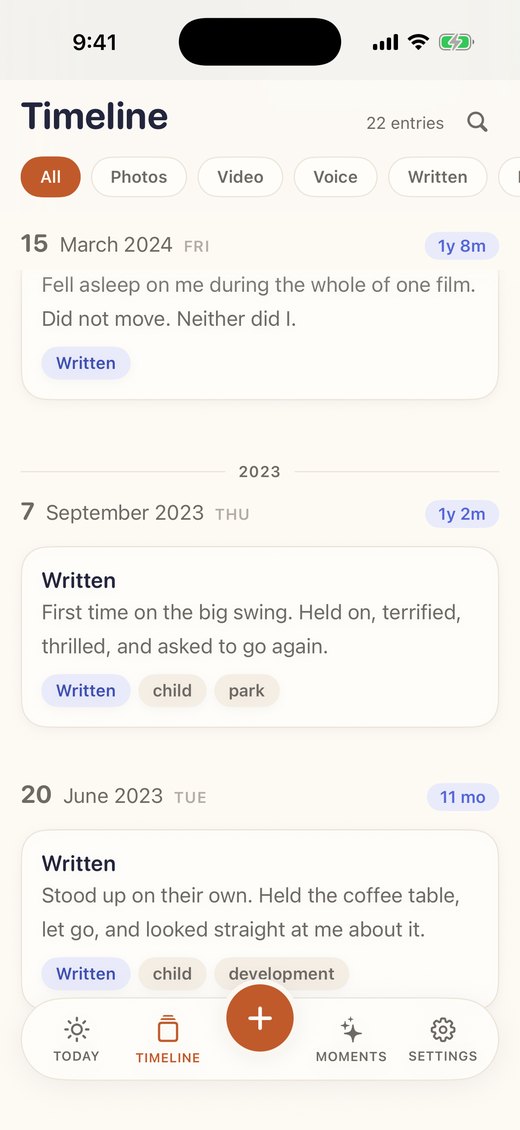
  5. A note written tonight, dated back to 2023.
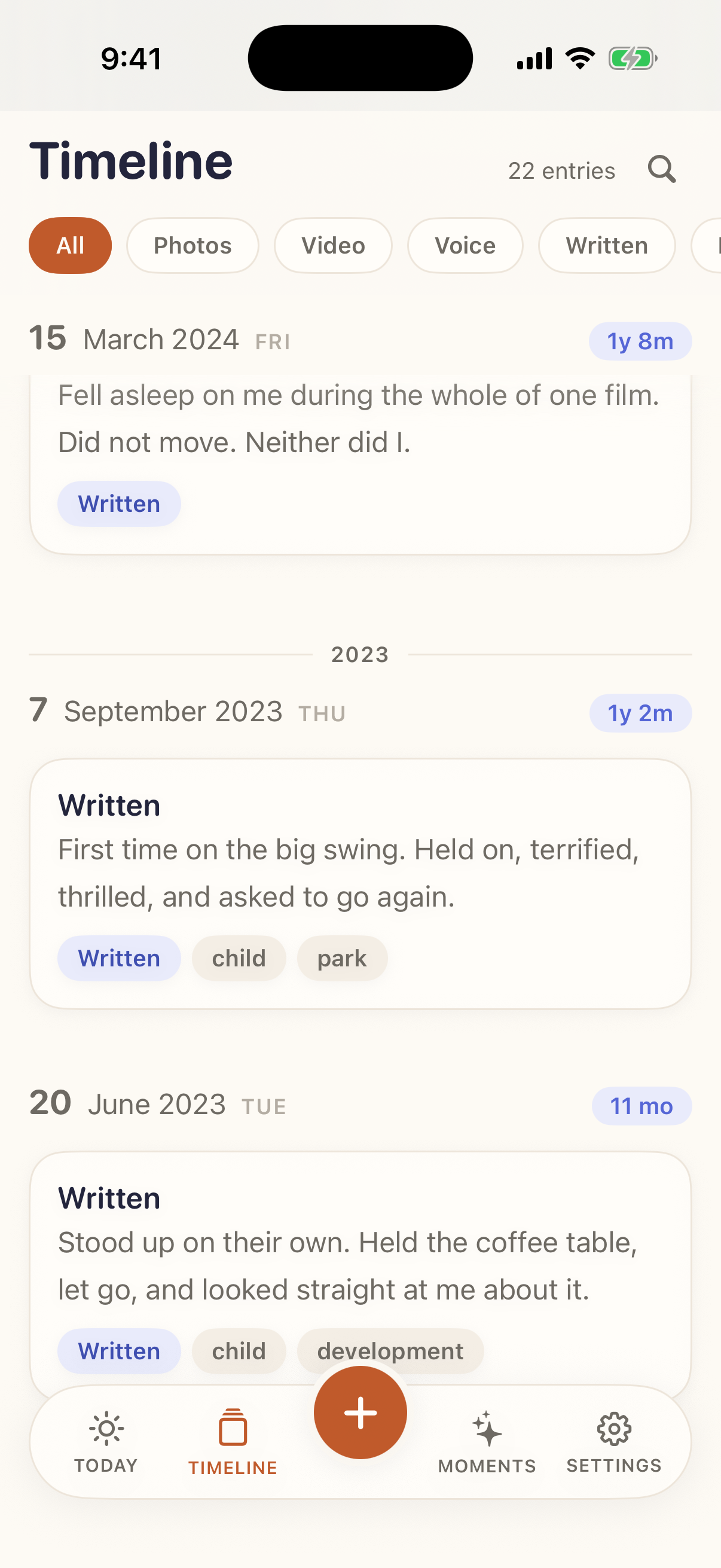
  6. The timeline at 2023, with the entry sitting where it belongs.
Download the MP4

Screenshots

The six that tell the story

Click any image for the full-resolution PNG — 1206 × 2622, straight off the device, with no frame or shadow added. Captions are written to be usable as they are.
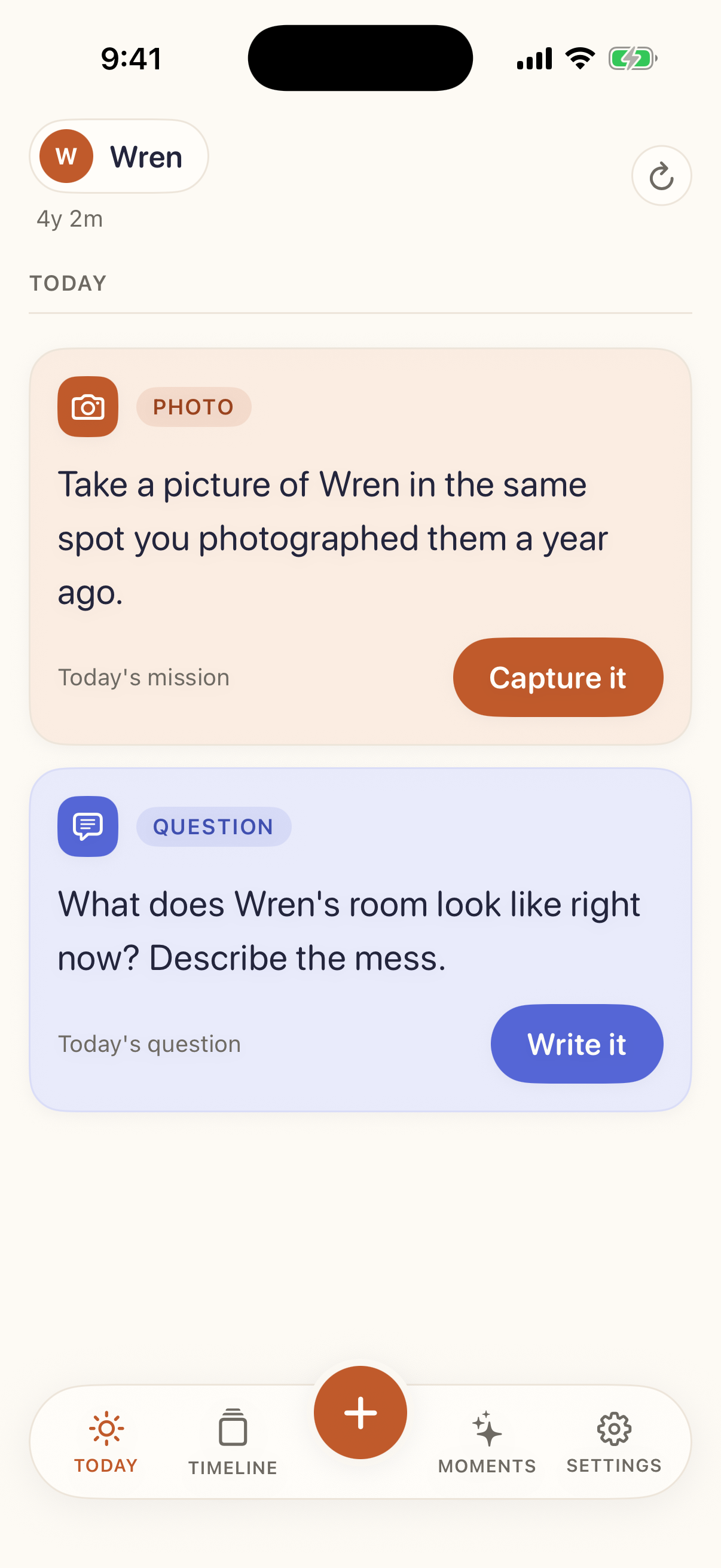
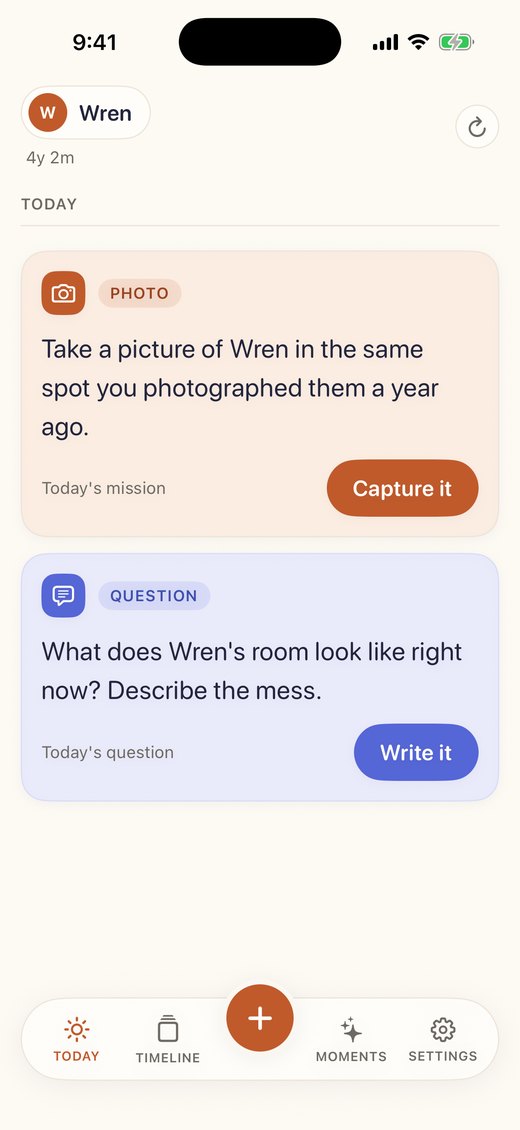
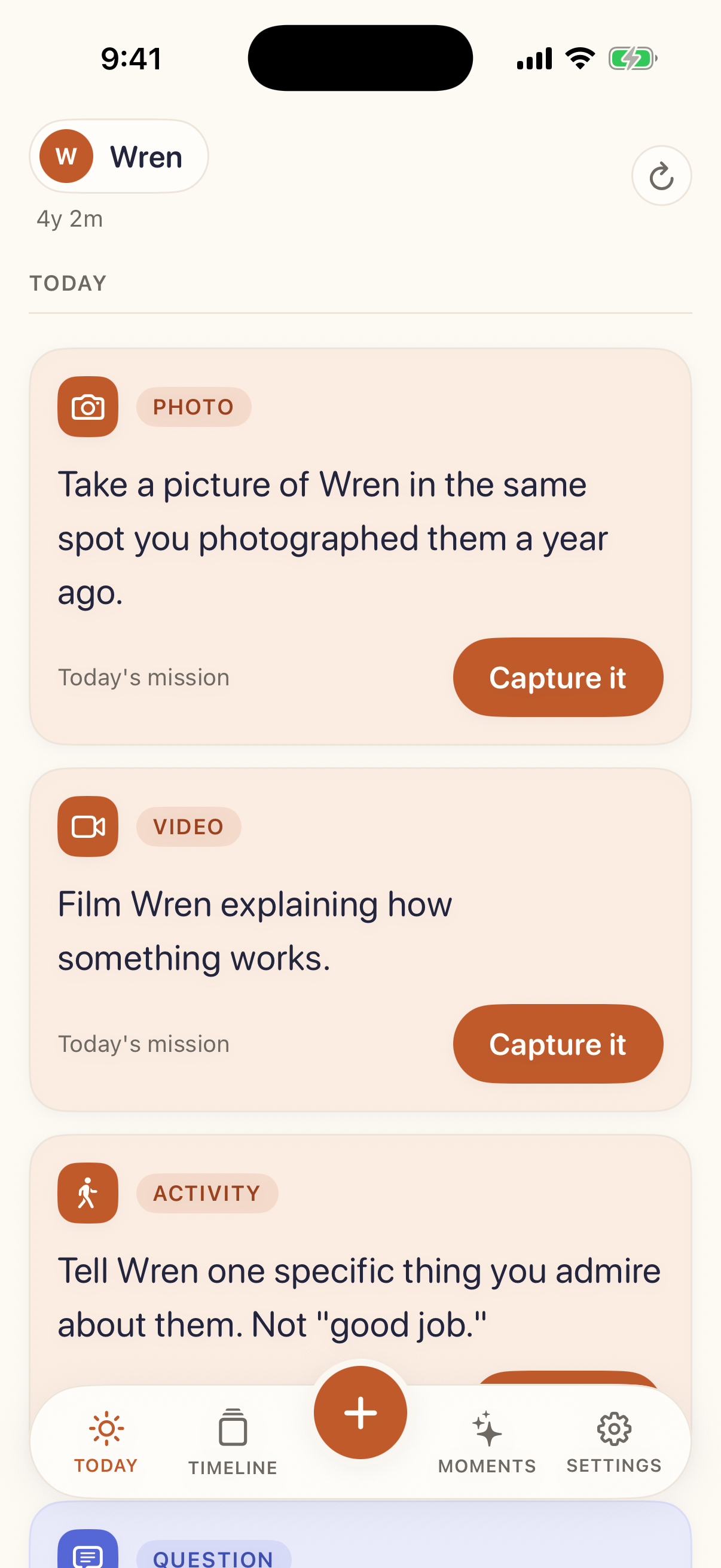
The Today screen showing a photo mission and the day's question.
The morning boardTwo prompts a day: a mission to capture something, and a question to answer in a sentence.
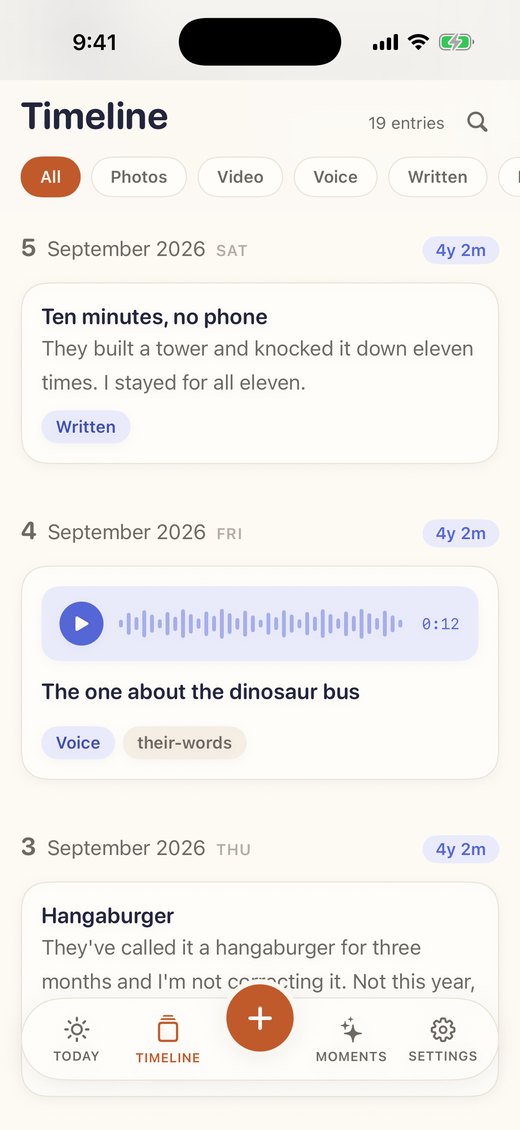
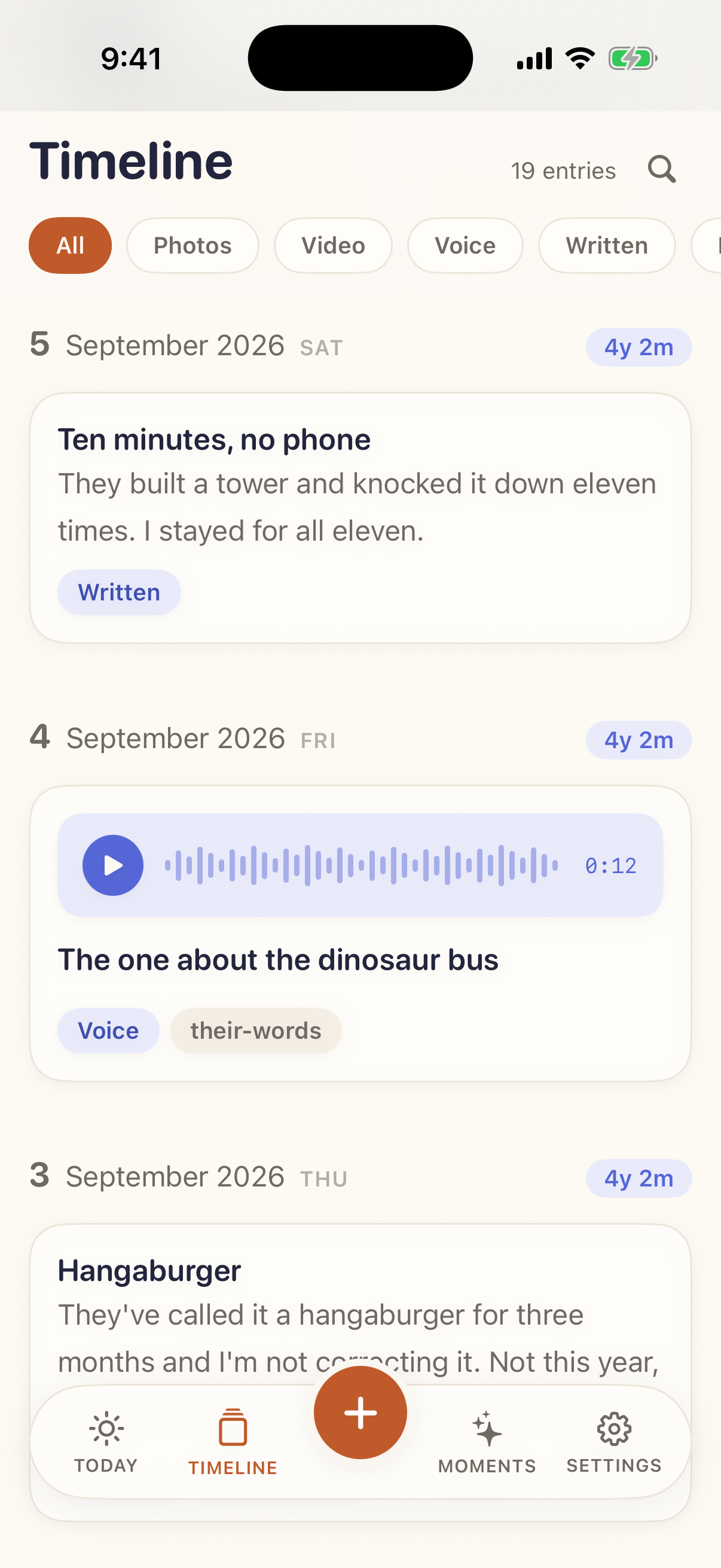
The timeline, grouped by day, each day stamped with the child's age.
The archiveGrouped by the day it happened, with the child's exact age stamped on every day.
A voice entry open, showing a waveform and the transcript beneath it.
Their voice, in wordsOn iOS 26 recordings are transcribed on the phone, so a sentence a four-year-old said is searchable years later. On an older iPhone the recording is kept without one.
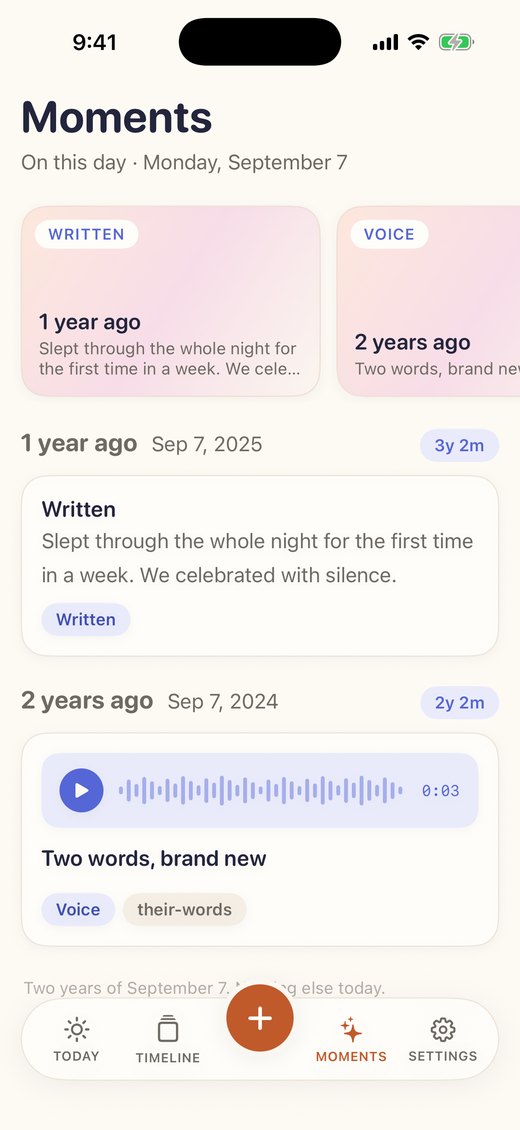
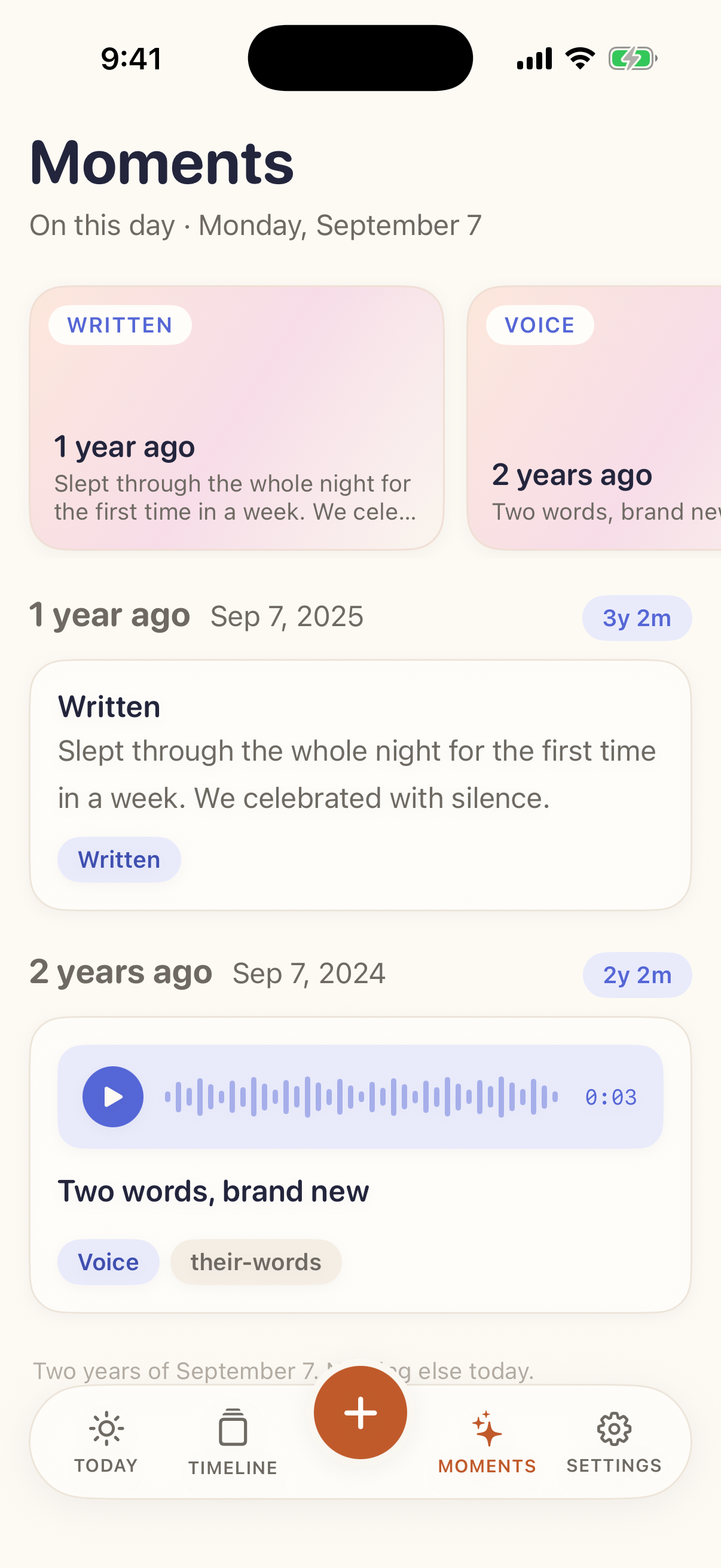
The Moments screen showing this day in earlier years.
On this dayThe archive gives back: the same date in earlier years, with how old they were.
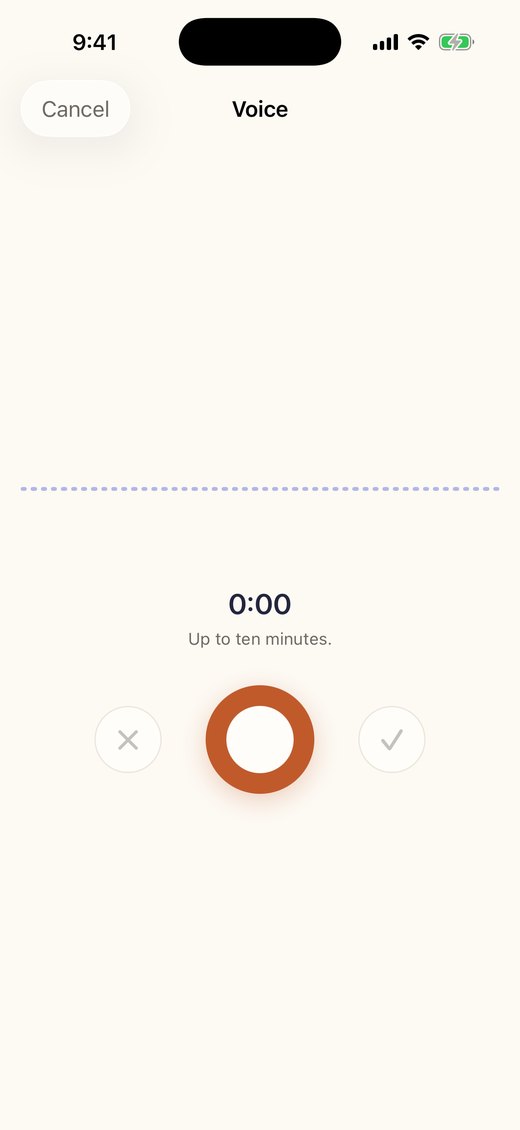
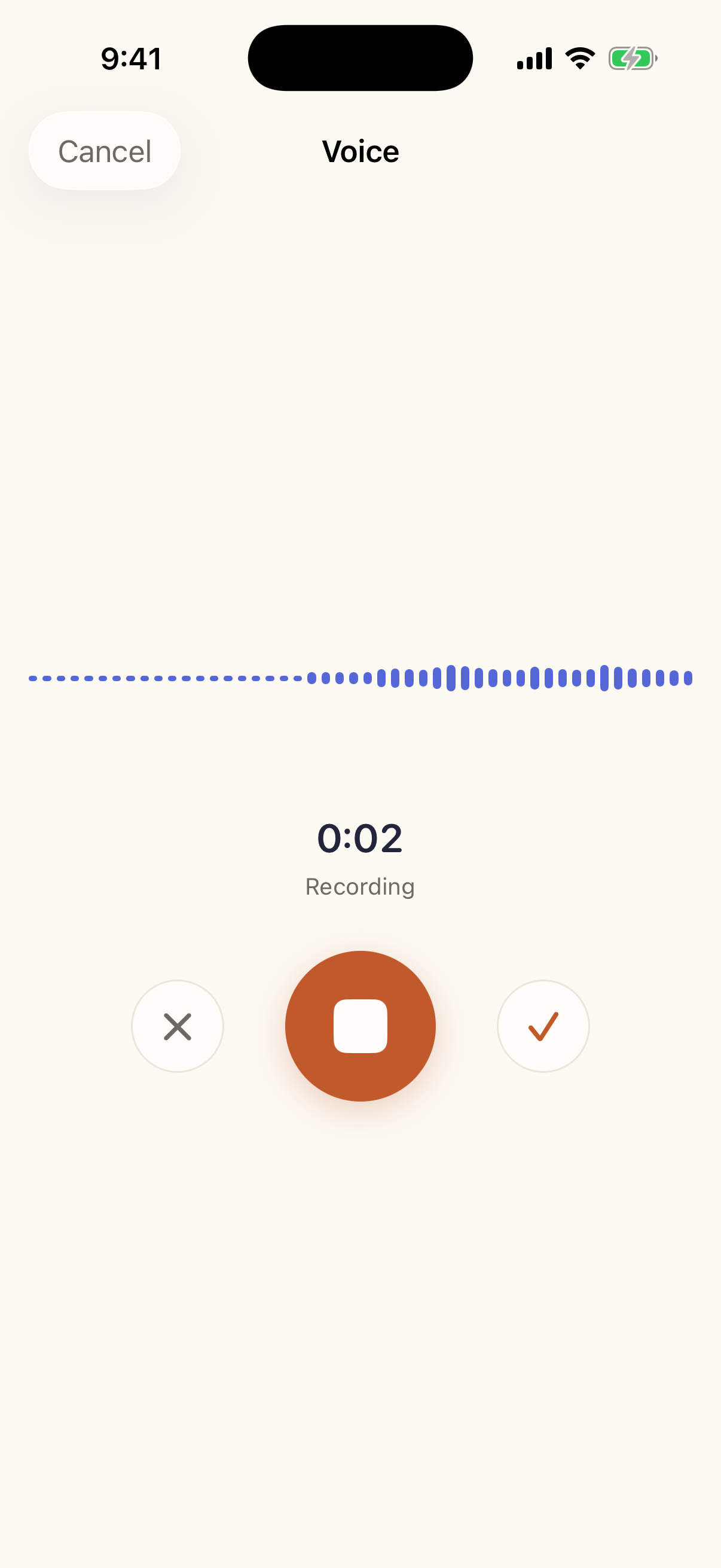
The voice recorder mid-recording with a live waveform.
RecordingA voice mission opens straight onto the recorder. Up to ten minutes, one-handed.
The timeline scrolled to 2023, showing an entry written today and dated back.
Filling in the pastA note written tonight, filed under September 2023, carrying the age they were then.

More, if you need them

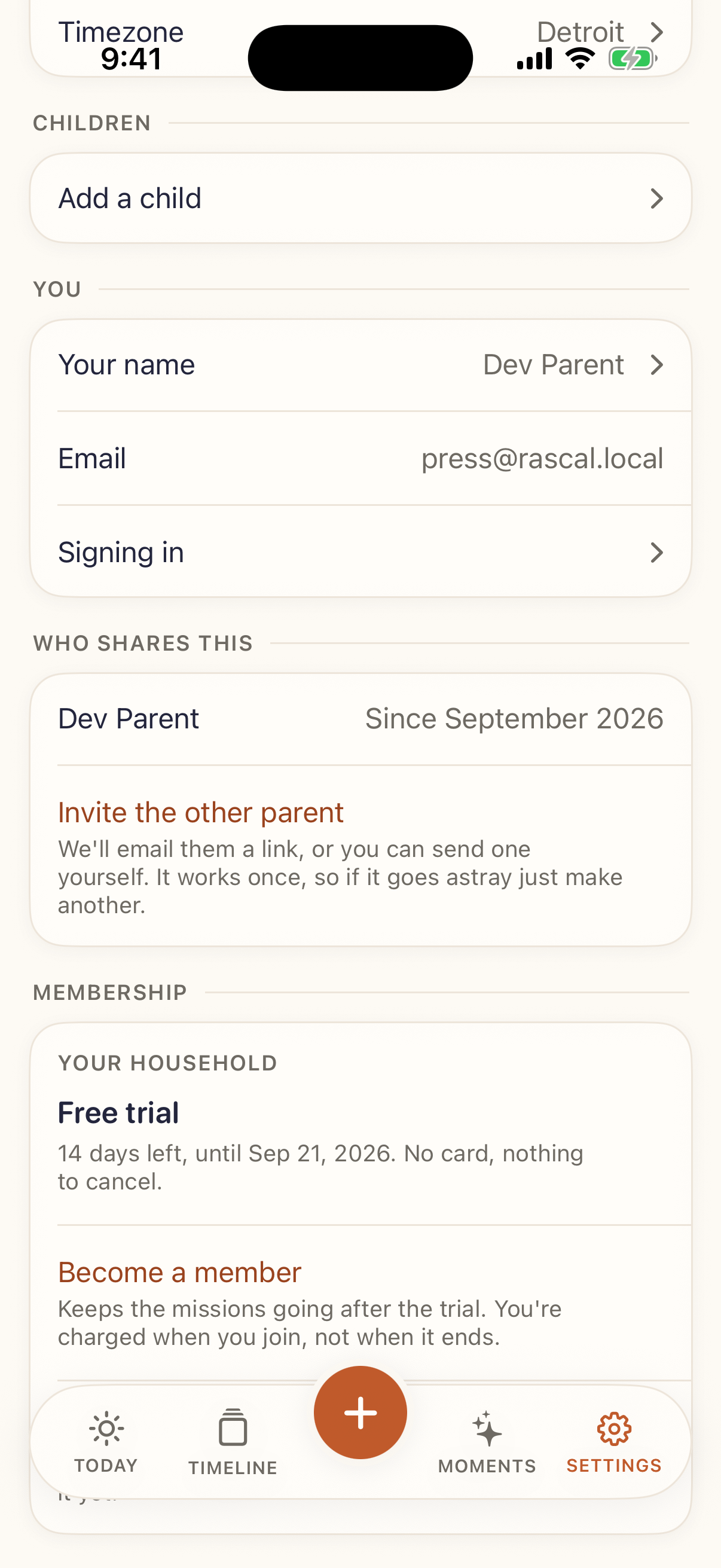
Onboarding, the composer, the capture sheet, settings and the export.
A weekend board with a photo mission, a video mission, an activity and the question.
A weekend board — the second mission lands on Saturday and Sunday.
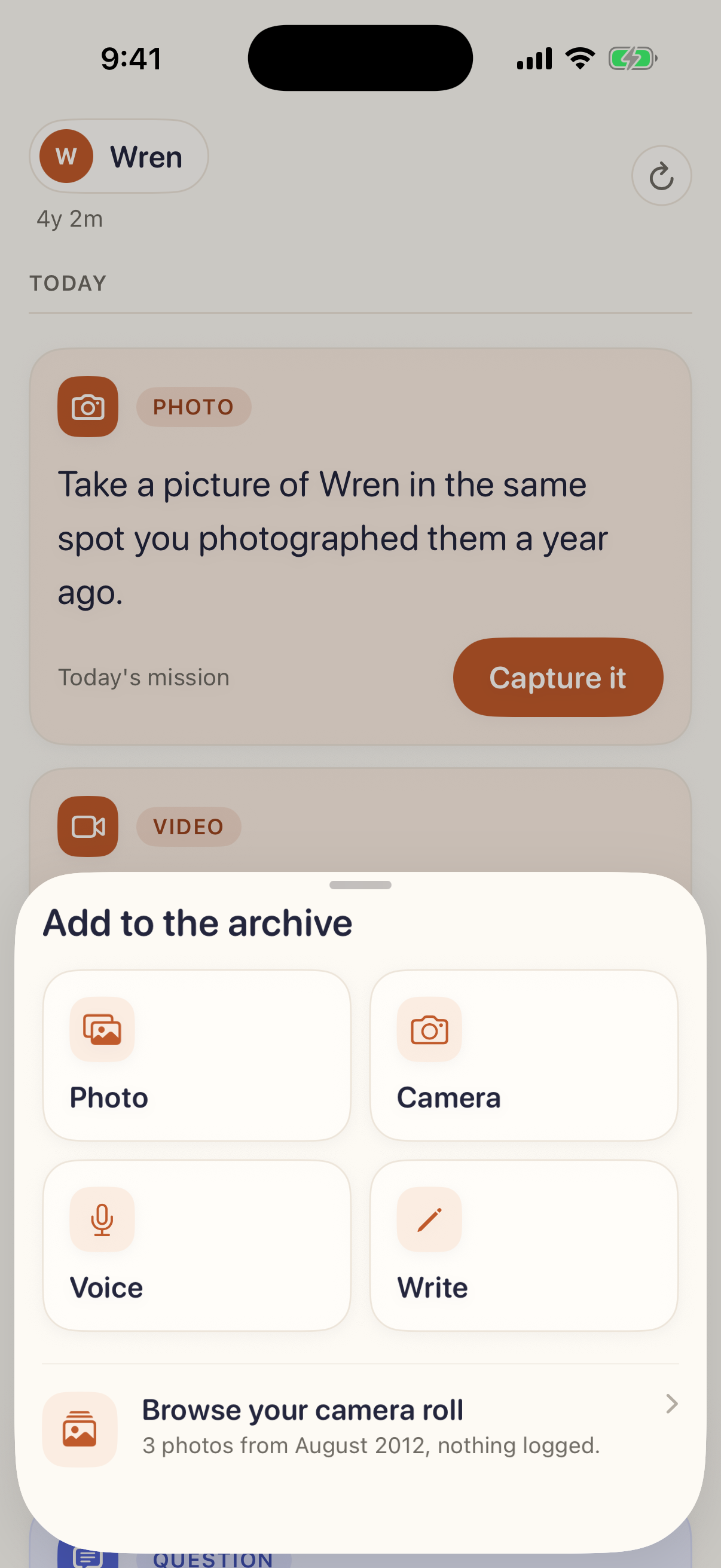
The add sheet: photo, camera, voice, write, and browse your camera roll.
Adding something yourself, including browsing the camera roll for months never written about.
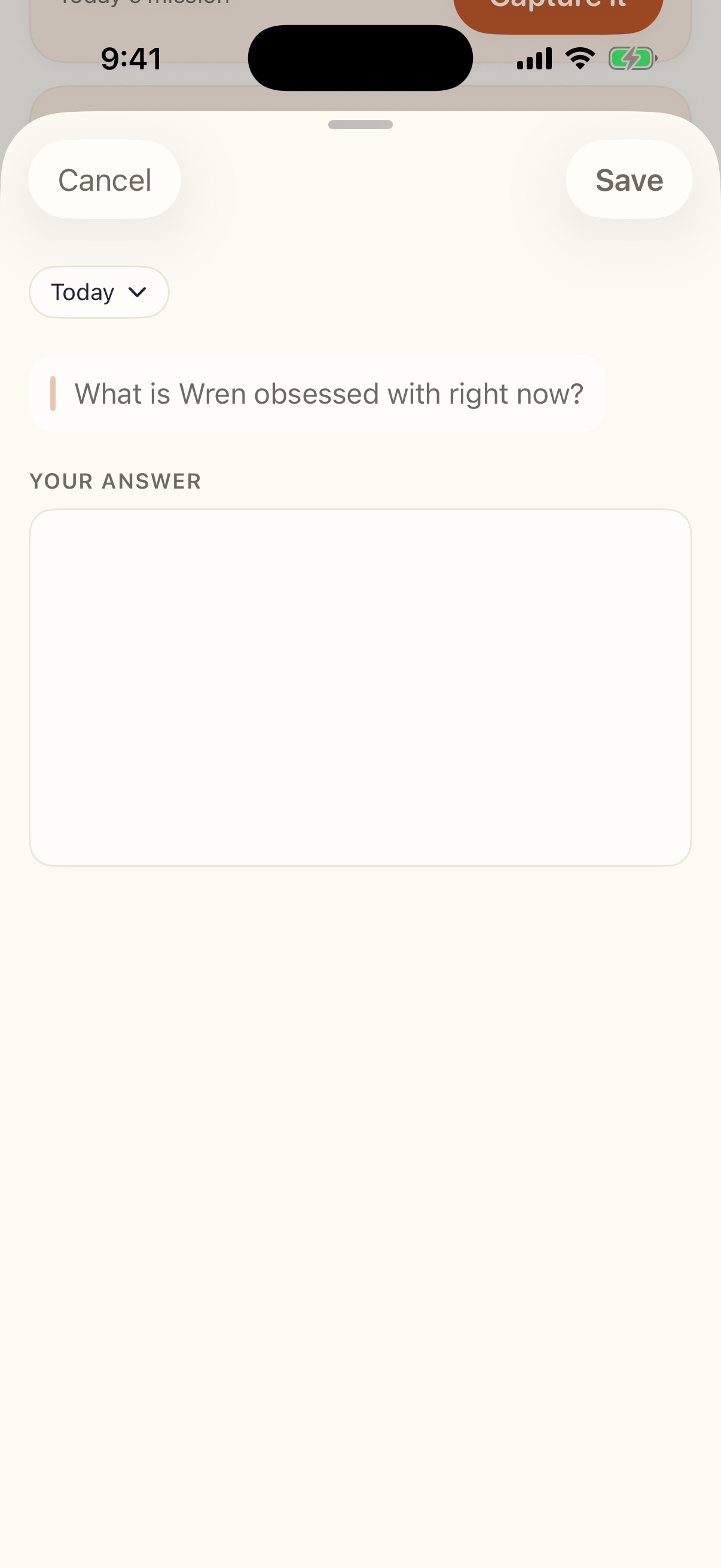
The composer open on the daily question with a text field.
Answering the daily question — it opens on a text field.
The composer's date control open on September 2023.
The date control, open on 2023.
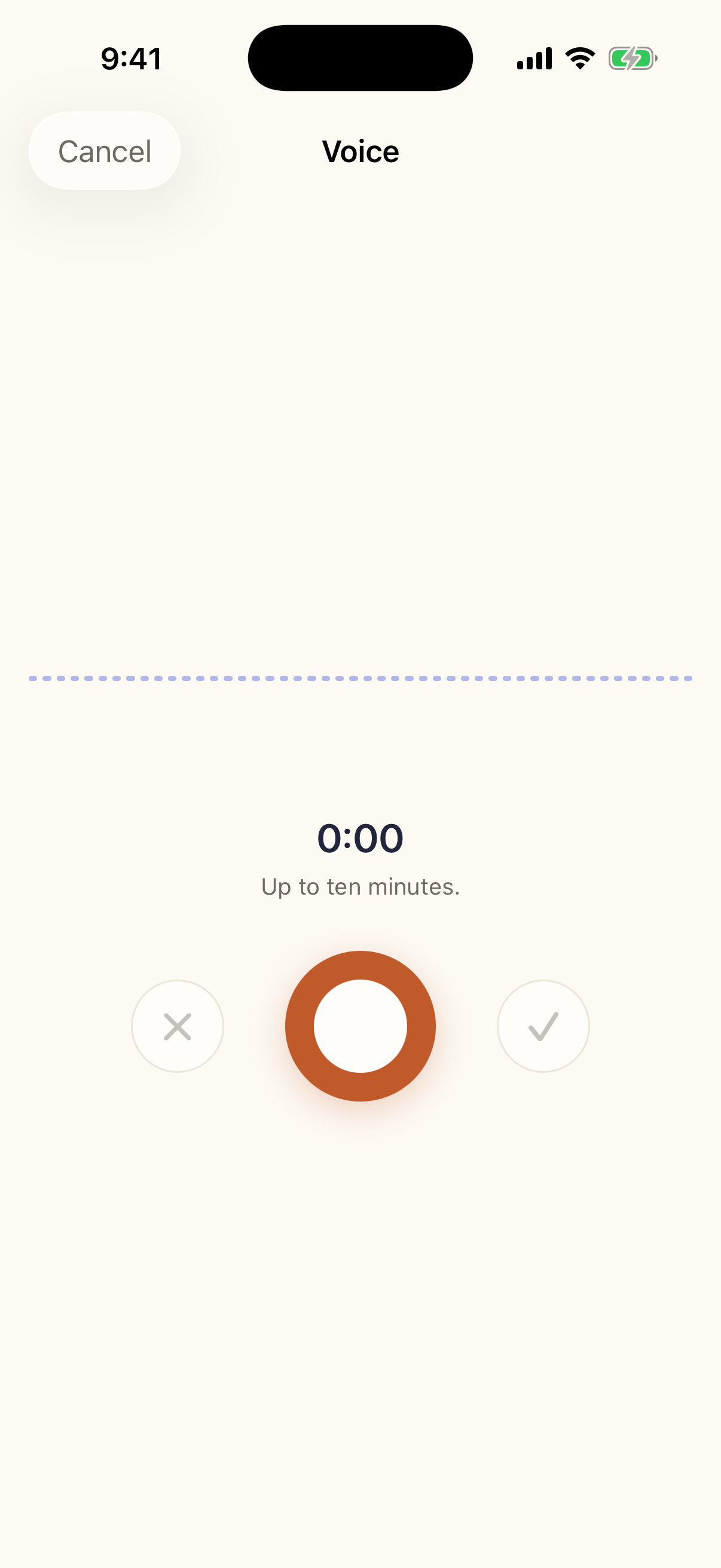
The voice recorder before recording starts.
The recorder, before it starts.
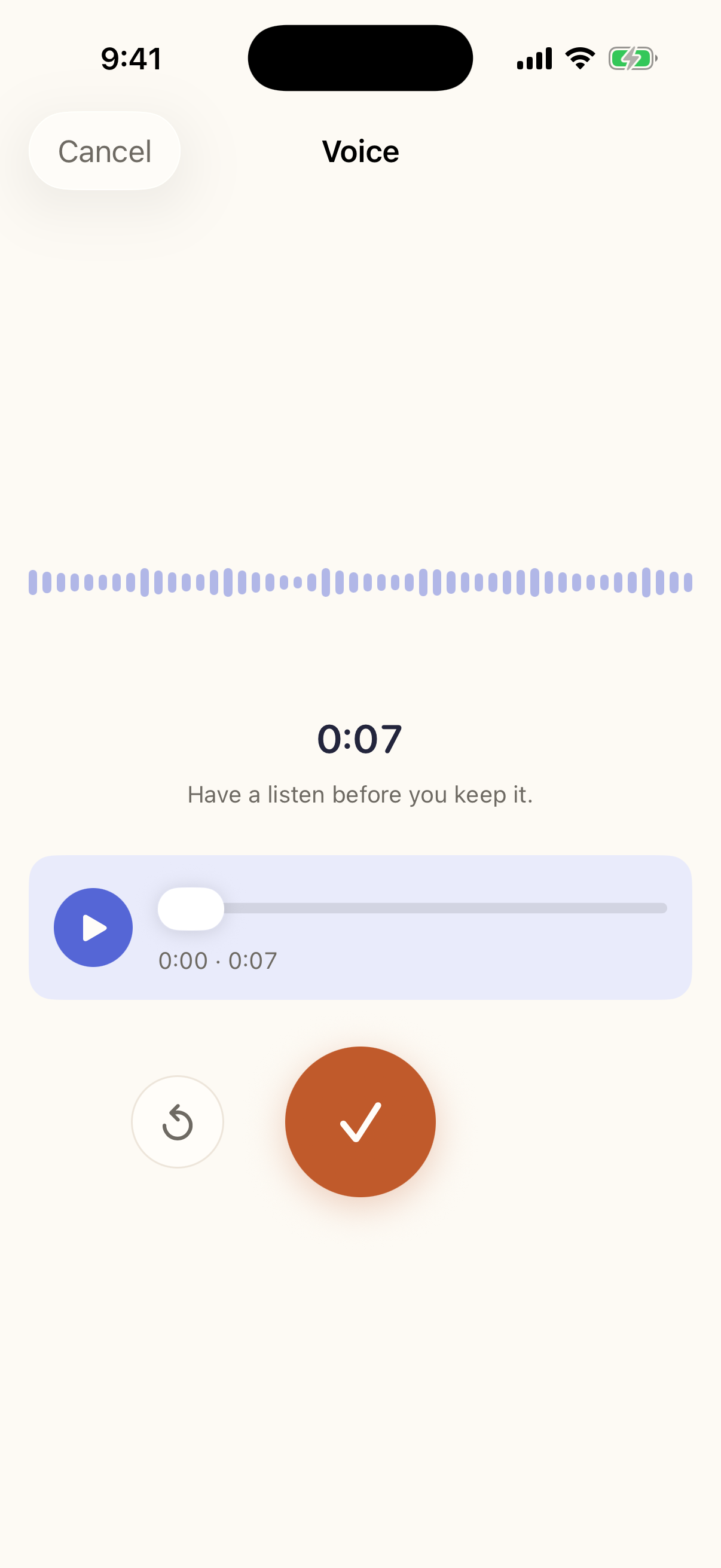
The recorder after recording, offering a listen before keeping it.
“Have a listen before you keep it.”
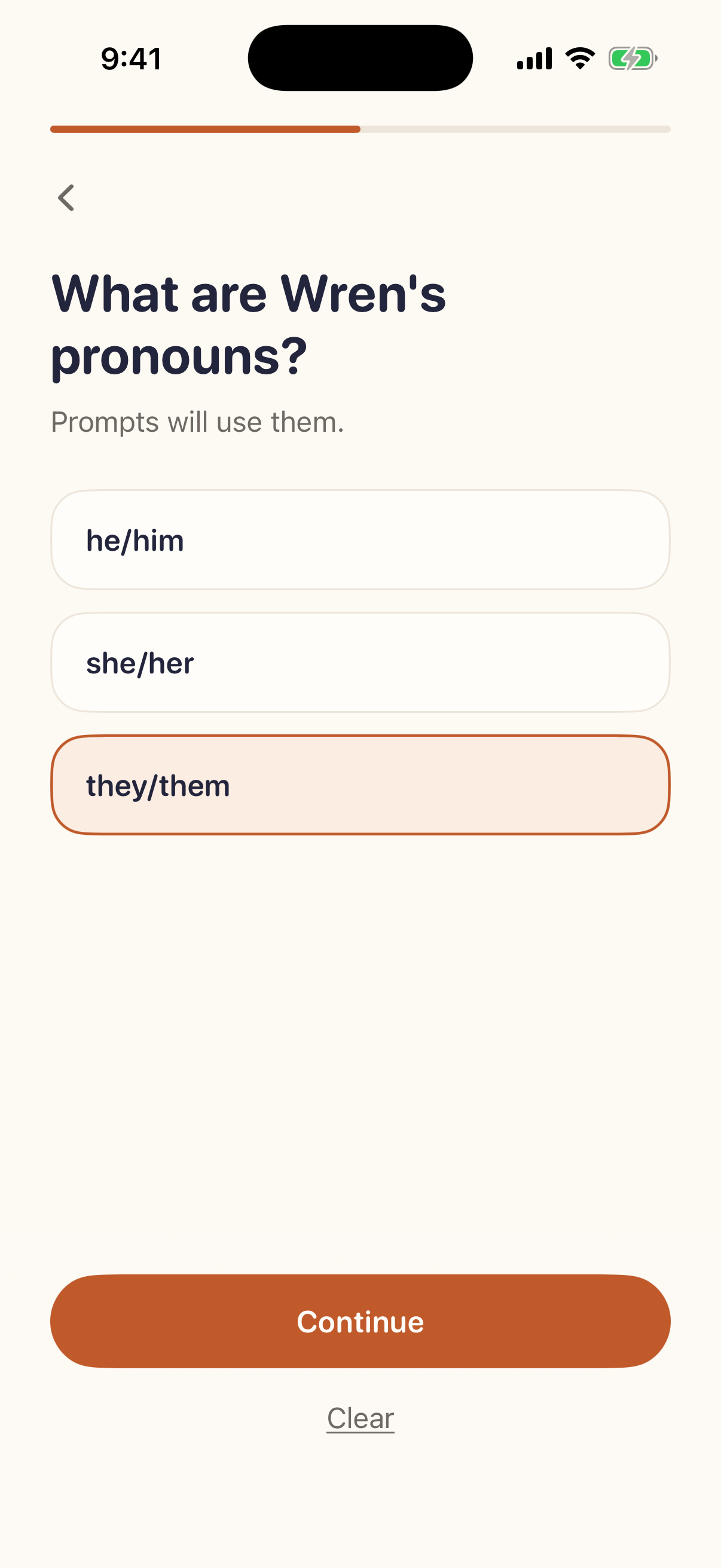
Onboarding asking for the child's pronouns: he/him, she/her, they/them.
Setup asks for pronouns and every prompt uses them. Nothing assumes a gender.
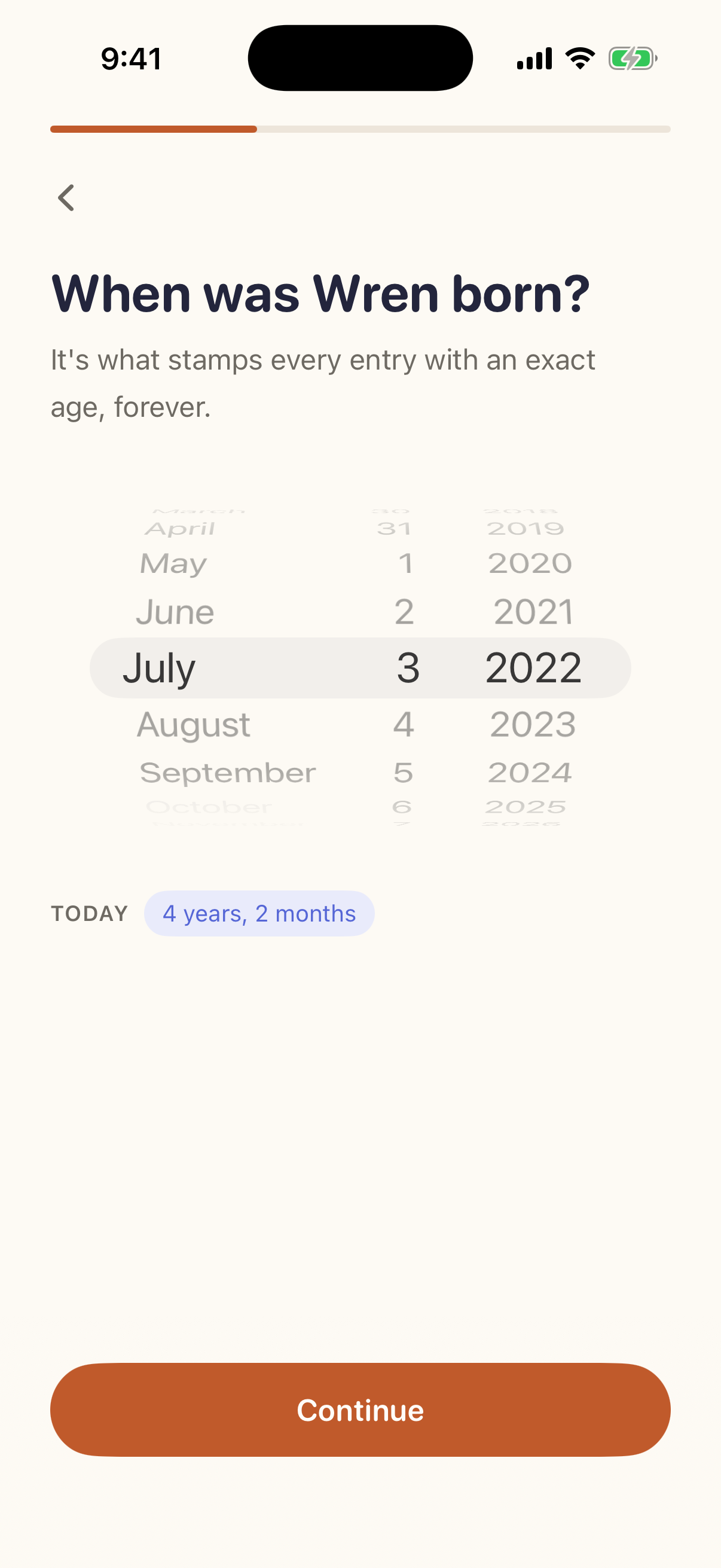
Onboarding asking for the child's birthdate.
The birthday is what stamps every entry with an exact age.
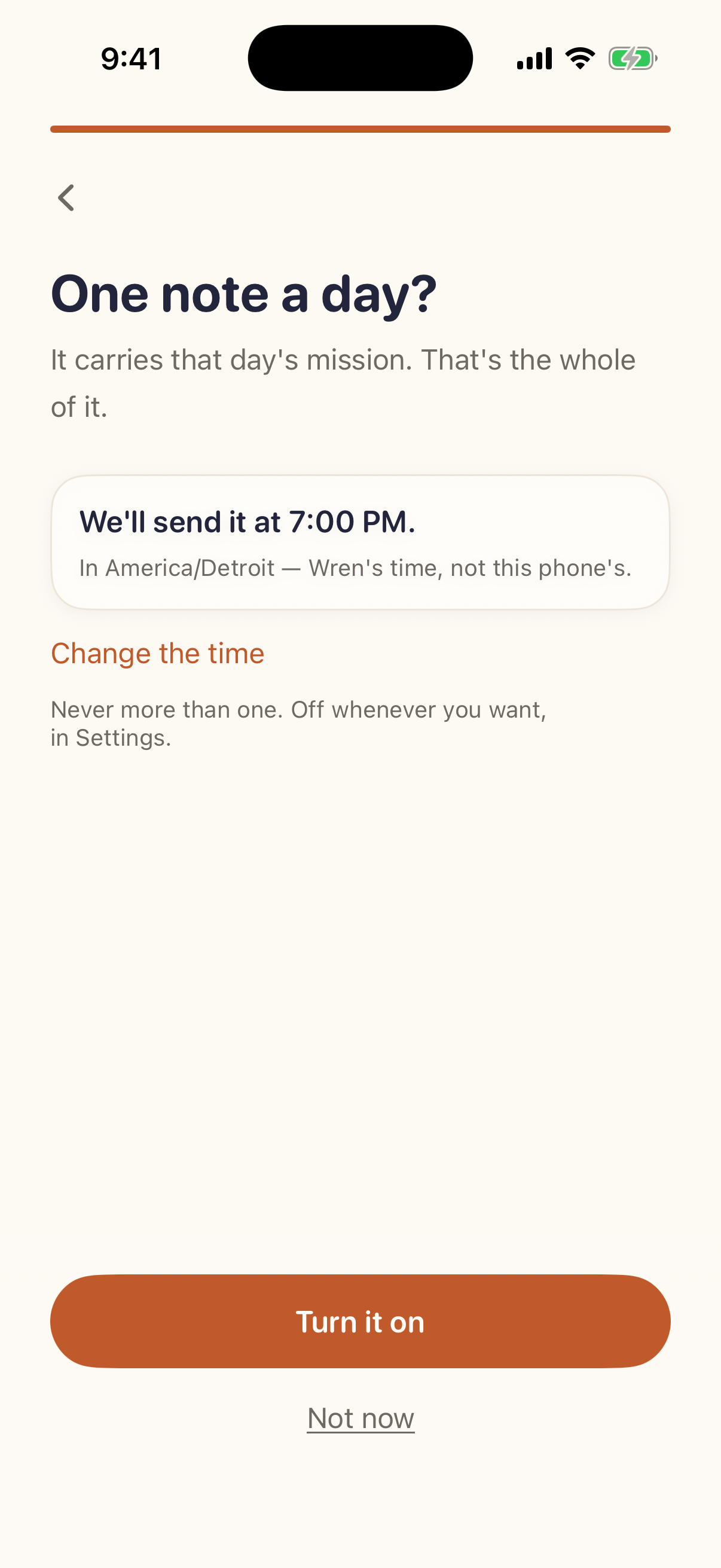
Onboarding offering one notification a day.
“One note a day?” Never more than one, off whenever you want.
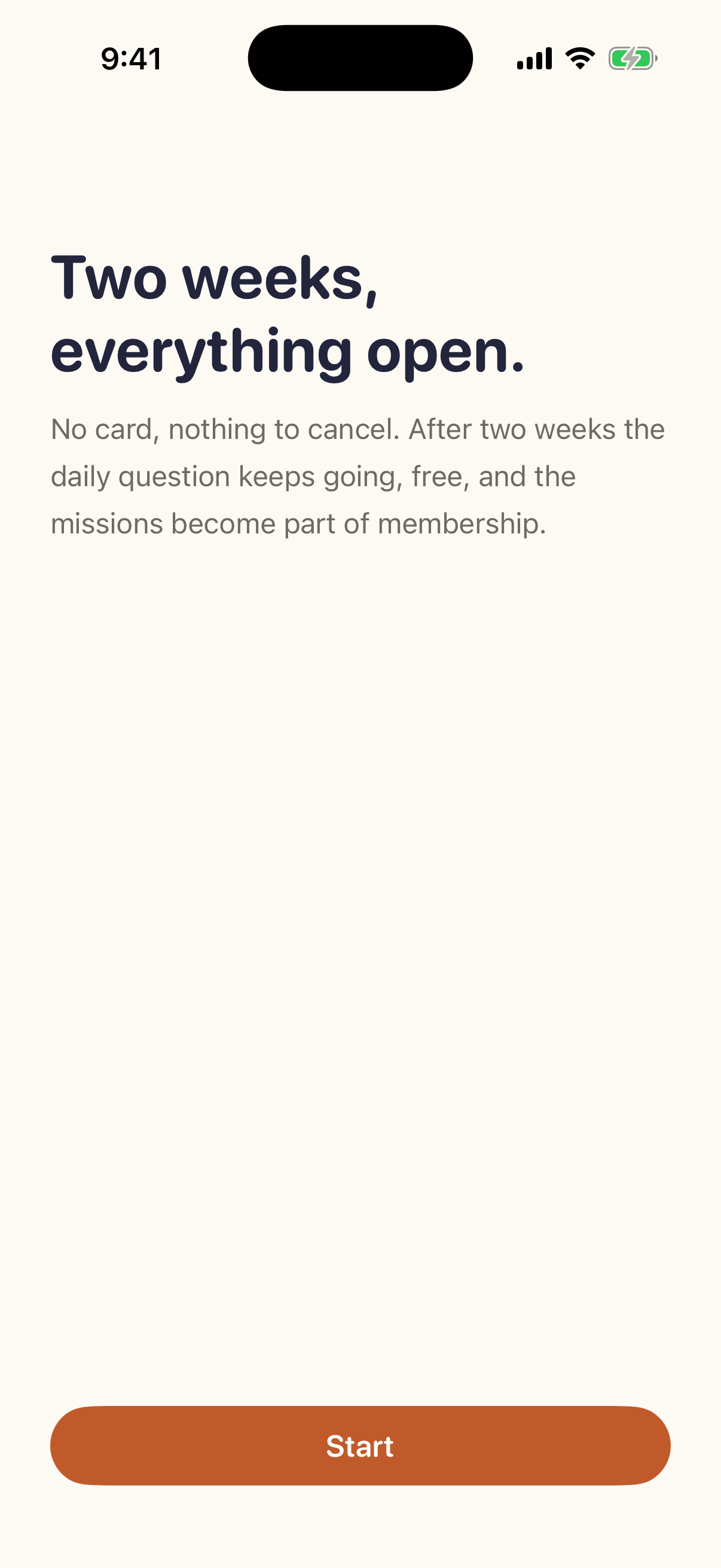
The screen explaining the first two weeks are open with no card.
The first fourteen days, with no card on file.
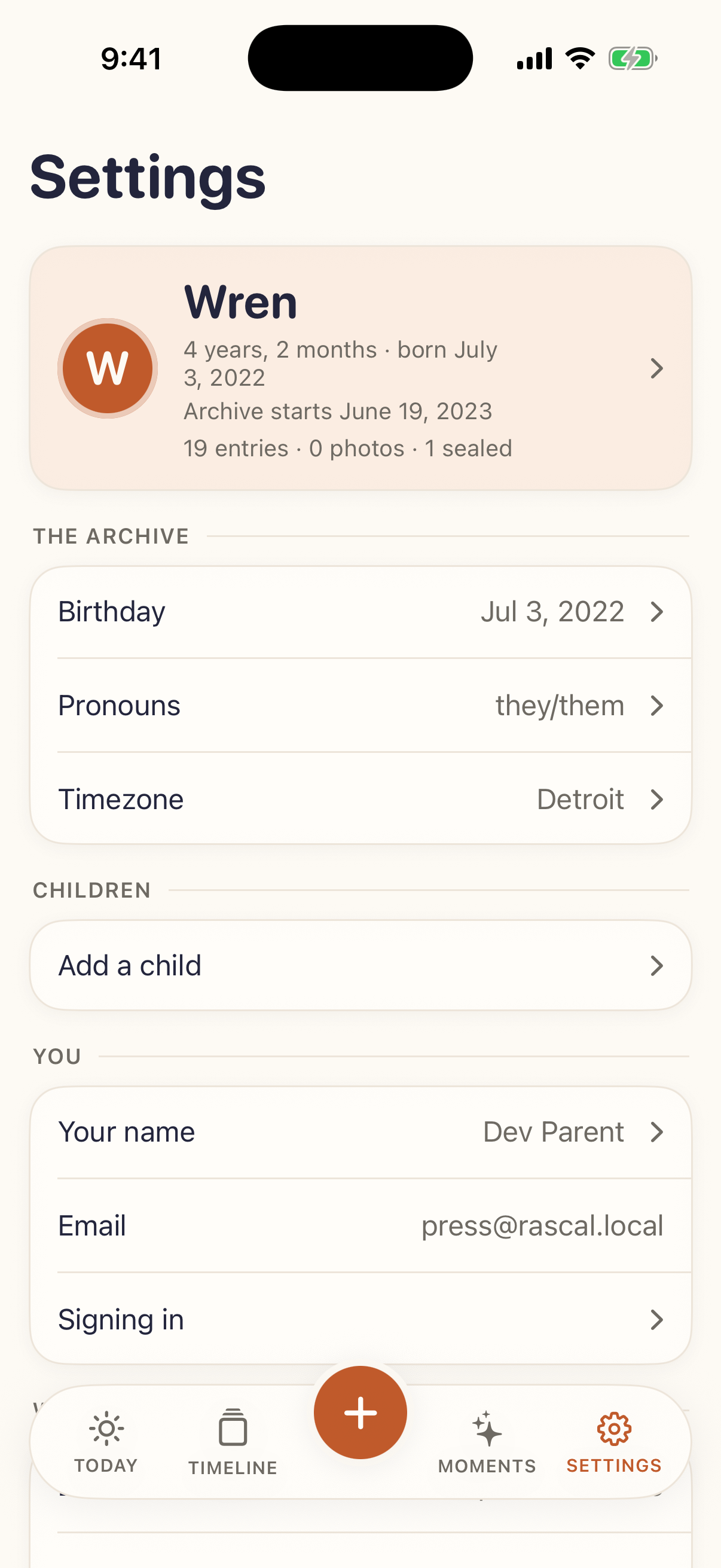
Settings showing the child, birthday, pronouns and timezone.
Settings opens on the child, not on configuration.
The membership card in settings showing the trial and its end date.
The membership card reads like a receipt.
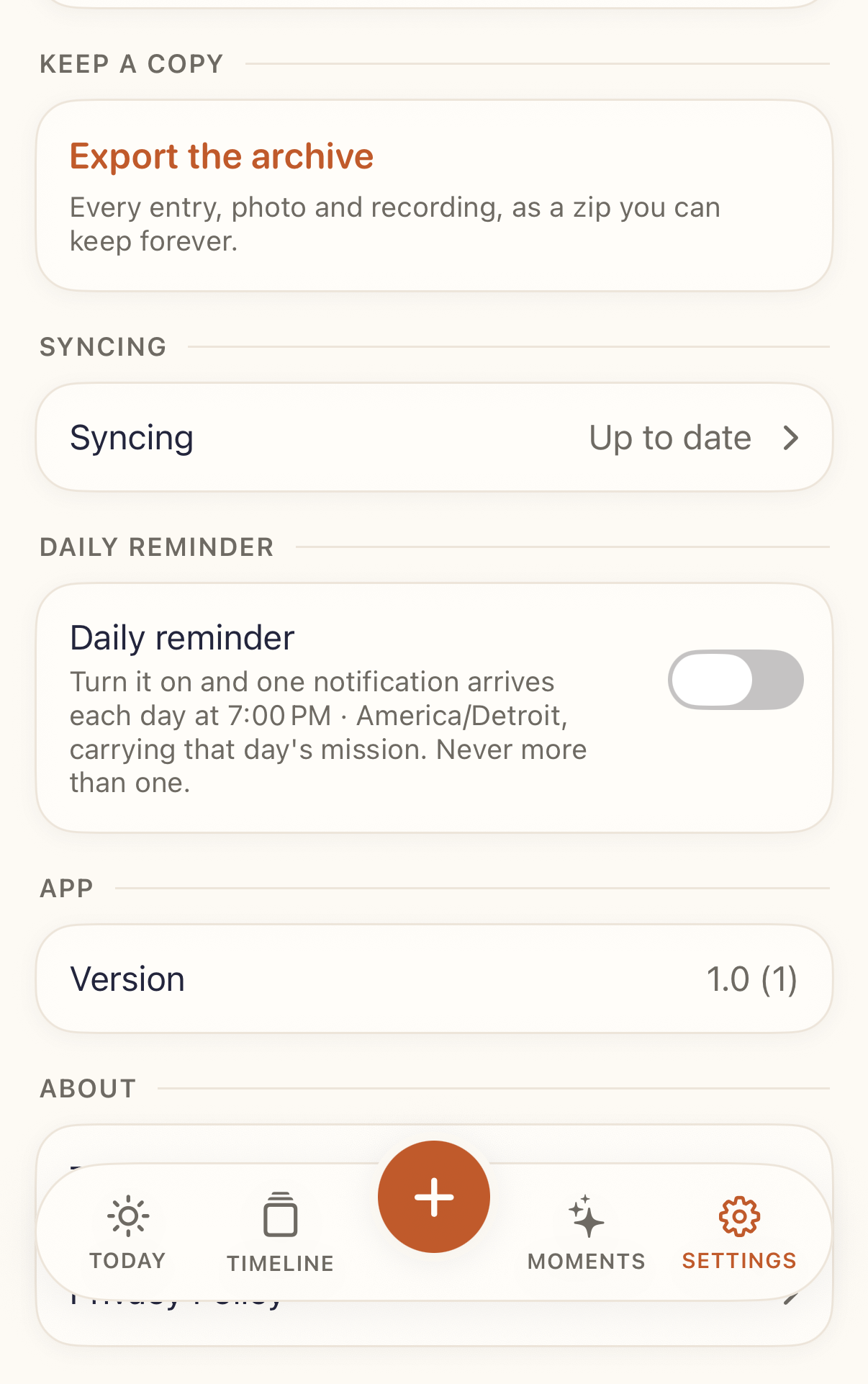
The export row: every entry, photo and recording as a zip.
Export the archive — free on every tier.

Quotes

Quotes you can use

From Travis Terry, founder. Use them as they are, or ask for something specific.

“I'm the dad who forgets to take pictures. And on the days I remember, a year later I can't tell you what was happening or why I took the shot. My camera roll knows what my kid looked like. It knows nothing about what they were like.”

Travis Terry, founder

“A photo on its own is a photo. A photo with the question that made you take it is a story. That's the whole product — the app keeps the reason attached to the thing.”

Travis Terry, founder

“There are no streaks and there never will be. A parent who opens this after two weeks away should feel welcomed back, not audited. If a feature only works by making you feel behind, it isn't going in.”

Travis Terry, founder

Boilerplate

Descriptions, ready to paste

One line

Pocket Chronicle is a private, prompted archive of a child's childhood for iPhone, built by one parent.

Short

Pocket Chronicle sends two prompts a day about your kid — a question, and a small mission to photograph, film, record or do. Answers take about fifteen seconds and are filed with the prompt that caused them, the date, and your child's exact age. Free on iPhone.

Medium

Pocket Chronicle is a private, prompted archive of a child's childhood for iPhone. Two prompts arrive each morning: a question about your kid, and a small mission — a photo, a video, their voice, or something to do together. Answering takes about fifteen seconds, and every entry is filed with the prompt that caused it, the day it happened, and the child's exact age on that day. Voice notes are transcribed on the phone. There are no ads, no feed and no streaks, and the whole archive exports in one tap.

Founder credit

Pocket Chronicle is made by Travis Terry, a parent working alone. It shipped on the App Store on 7 September 2026.

Fact check

Details that are easy to get wrong

Not corrections to anything you have written — just the six things that most often come out slightly off.

  • Two prompts a day, not one. One is always a question; the second is a mission. The App Store subtitle says “one prompt a day”, which is shorthand for the free daily question.
  • The daily question is answered by typing. Voice recording answers a voice mission, or a freeform entry you start yourself. It is not how the question is answered.
  • Transcription needs iOS 26. The app itself runs on iOS 18.6 and later. On an older iPhone the recording is saved and kept; only the transcript is missing.
  • It is private, not local-only. Entries sync to Pocket Chronicle's own server, which is what lets a second parent write into the same archive and a new phone pick it up. What stays on the device is the voice-to-text and the cache.
  • The recorder holds ten minutes. Not two.
  • After the first two weeks, free means the daily question. Anything that needs storage — photographs, video, their voice — is part of membership. Everything already in the archive stays readable, searchable and exportable forever, on any tier.

Press access

A full account, free, for as long as you want it

Download it from the App Store and tell us the email you signed up with, and a lifetime membership goes on the account the same day. No trial clock, no card, nothing to cancel.

Interviews, extra screenshots, a different cut of the video, a specific screen captured on a device you name — ask and it will come back quickly. There is one person to ask.

Travis Terry · Founder, Pocket Chronicle
hello@pocketchronicle.app

About the archive in these images. Every screenshot and every second of the video shows a real build of the app, but the child in them — Wren — is invented, and every entry was written for this press kit. No real family's data appears anywhere.